Loading... Please wait...
Categories
 New Products
-
£1,213.97£1,013.97
-
£369.00£269.00
-
£399.00£299.00
-
£729.97£529.97
-
£729.97£529.97
Our Newsletter
- Home
- Computers & Laptops
- Tablets
- Lenovo Tablets
- Lenovo Idea Tab 11" Luna Grey 128GB Wi-Fi Tablet with Pen UK
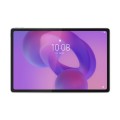
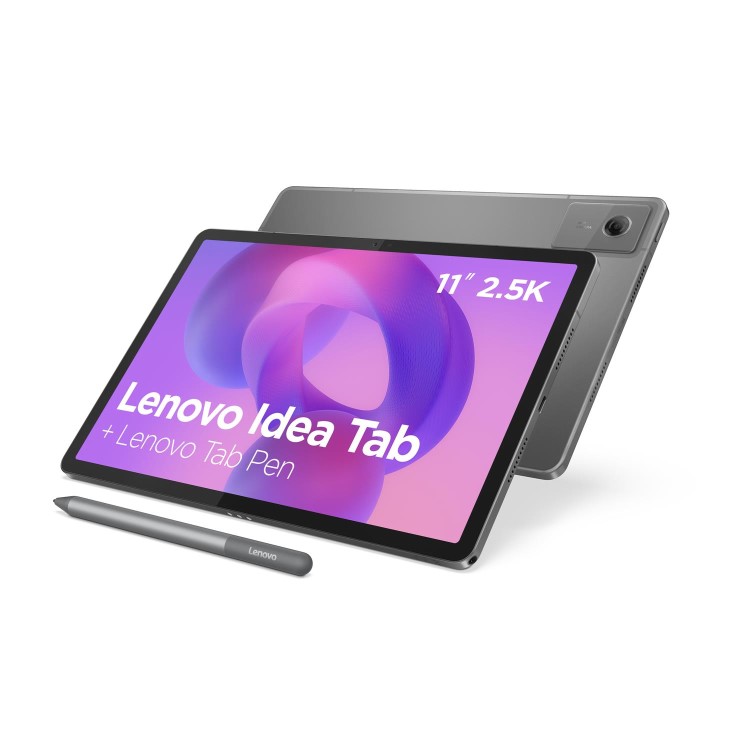
Lenovo Idea Tab 11" Luna Grey 128GB Wi-Fi Tablet with Pen UK


Product Description
Lenovo Idea Tab | Features
CIRCLE TO SEARCH WITH GOOGLE
Discover a streamlined method for tablet searching with Circle to Search with Google. Simply long press the home button and draw a circle on what you want to search using your finger or with the Lenovo Tab Pen.
CIRCLE TO SEARCH WITH GOOGLE
Say goodbye to screenshots and switching apps. Now, when you see words in another language on your tablet, you can use Circle to Search to get help instantly. Whether it’s an image, video, or text, just long press the home button or navigation bar and tap the translate button to see instant translations, then get right back to what you’re doing.
LENOVO AI NOTE
Keep Your Ideas Flowing
Whether prepping for finals, writing an essay, or jotting down ideas, Lenovo AI Note, a vibrant function of the Notepad app, helps you stay organized, save time, and stay ahead.
NEBO, SQUID & MYSCRIPT
Level Up Your Study Game
Write naturally and smoothly in Lenovo Notepad and Nebo®. Use Squid for freeform notes, Nebo for structured writing and diagrams, and MyScript® Calculator to solve equations in real time.
Get ready for a stunning experience with the 11″ 2.5K Idea Tab tablet, thanks to quad Dolby Atmos®-tuned speakers, vivid resolution, and a 90Hz refresh rate for effortless viewing. Whether you're catching up on lectures or streaming your favorite shows, every scene looks sharper, every sound is clearer, and every moment is more immersive.
MATTE EDITION DISPLAY
Write smoothly and study comfortably on the Lenovo Idea Tab Matte Edition. Reducing glare for better eye comfort, it makes notetaking and annotation with the Lenovo Tab Pen feel more natural.